The Premier League returns on Friday 21 August 2026, and Norwegian fans face a problem that did not exist two seasons ago. Watching all 380 matches now requires more than one subscription.
Viaplay holds the Norwegian rights and carries the bulk of the season. But a separate block of fixtures has moved behind a different paywall entirely. Add both together and the yearly cost climbs past 10,000 kroner.
That is why so many households across Norway are searching for an IPTV Premier League setup instead. This guide covers exactly who broadcasts what, what each option genuinely costs, how IPTV delivers live football, which devices work, what internet speed you need, and where the legal lines sit. No hype — just the numbers and the practical detail you need before match week one.
Quick Answer: Watching the Premier League in Norway
Viaplay is the official Premier League rights holder in Norway for the 2025-26 to 2027-28 cycle and shows the large majority of the 380 matches. A smaller block of fixtures is exclusive to Prime Video and does not appear on Viaplay. IPTV services offer a lower-cost alternative that consolidates football channels into a single subscription.
| Question | Answer |
| Who holds Premier League rights in Norway? | Viaplay |
| Total matches in the season | 380 across 38 matchweeks |
| New for 2026/27 | A block of fixtures is exclusive to Prime Video |
| Season start | Friday 21 August 2026 |
| Season end | Sunday 30 May 2027 |
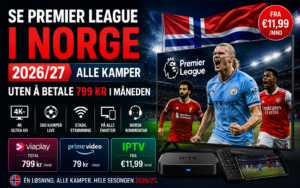
| Viaplay Total | 799 kr per month |
| Prime Video | 79 kr per month |
| IPTV alternative | From €11.99 per month |
Who Broadcasts the Premier League in Norway in 2026/27?
The broadcast picture in Norway has shifted more than once in recent years, and outdated information is still circulating online. Here is where things actually stand for the coming season.
Viaplay — The Official Rights Holder
Viaplay secured the Norwegian Premier League rights for the 2025-26 through 2027-28 cycle. The service carries live coverage, full replays and studio programming, with Norwegian commentary on the headline fixtures.
Two subscription tiers include Premier League access. Viaplay Total sits at 799 kroner per month with no lock-in. Viaplay Total Pluss is the alternative tier and additionally bundles TV 2 content, including selected national team fixtures, La Liga and the full FA Cup.
You do not have to buy directly from Viaplay. The package is resold through most Norwegian TV providers — Telenor offers it inside the V Premium channel pack, and Altibox, Telia, RiksTV, Strim and Allente all carry routes to the same coverage. Prices vary by provider and by whether you accept a binding period.
The Prime Video Split — New for This Season
The change catching Norwegian fans off guard is that a block of Premier League fixtures has been sold exclusively to Prime Video. Reporting in the Norwegian press puts this at 38 matches, priced at 79 kroner per month.
These games do not appear on Viaplay at all. If your club features in one of them and you only hold a Viaplay subscription, you simply will not see it. For anyone who follows a single team closely, that is a real gap rather than a theoretical one.
What About TV 2?
This is where old information causes the most confusion. TV 2 previously held Norwegian Premier League rights and issued press material about carrying all 380 matches — but that was a former rights cycle, and those pages still surface in search results.
TV 2 no longer broadcasts the Premier League. Its current flagship football property in Norway is the Champions League, alongside Eliteserien and OBOS-ligaen. If a page tells you TV 2 shows the Premier League this season, it is out of date.
| Broadcaster | Coverage | Platform | Monthly Cost |
| Viaplay | Majority of the 380 matches | Viaplay Total / Total Pluss | 799 kr / 699 kr |
| Prime Video | Exclusive fixture block | Prime Video | 79 kr |
| TV 2 | No Premier League — Champions League instead | TV 2 Play | Varies |
What It Actually Costs to Watch the Premier League in Norway
Headline prices rarely tell the full story. Here is the arithmetic over a full season.
Viaplay Subscription Prices
Viaplay Total runs at 799 kroner per month on a rolling basis. Committing to a 12-month binding period typically reduces the effective monthly rate by around 100 kroner, at the cost of flexibility.
Viaplay Total Pluss sits at a different price point and layers TV 2 content on top. For a household that also wants Champions League and domestic Norwegian football, the combined package can work out better than buying the two separately — but only if you genuinely watch both.
Buying Through Your TV Provider
Bundling sometimes beats going direct. Telia’s X mobile plan paired with Viaplay Total has been advertised at 499 kroner per month, which undercuts Viaplay’s own rolling price by a meaningful margin. Telenor’s V Premium pack, Altibox, RiksTV, Strim and Allente each have their own pricing and promotional cycles.
The catch is that most of these routes involve a broadband, mobile or TV contract you would not otherwise take. Work out the total household bill, not just the football line item.
The Real Yearly Total
Stack the pieces together and the picture sharpens considerably.
| Option | Monthly | Yearly | Coverage |
| Viaplay Total only | 799 kr | 9,588 kr | Most matches, not all |
| Viaplay Total + Prime Video | 878 kr | 10,536 kr | Full season |
| Telia X bundle + Prime Video | 578 kr | 6,936 kr | Full season |
| IPTV subscription | From €11.99 | From ~€54.99 | Broad football coverage |
Full official coverage lands somewhere between roughly 7,000 and 10,500 kroner across a season, depending on how aggressively you bundle.
The IPTV Alternative
This gap is what drives the demand for IPTV for Premier League in Norway. Subscriptions start from €11.99 per month, with annual plans reducing the effective monthly rate substantially further.
A single IPTV subscription typically consolidates the football channels that would otherwise be scattered across several separate services. The trade-off is that quality varies enormously between providers, and you carry more of the setup and troubleshooting burden yourself. We will come back to both points.
Premier League 2026/27 Season: Key Dates and Norwegian Players to Watch
Key Season Dates
The season runs from Friday 21 August 2026 to Sunday 30 May 2027 — 38 matchweeks and 380 fixtures in total.
Weekend matches typically kick off between 13:30 and 18:30 Norwegian time, with the traditional Saturday 16:00 UK slot landing at 17:00 CET. Midweek rounds usually start between 20:30 and 21:15 CET, which is late but manageable. The Boxing Day and New Year fixture congestion in late December remains one of the busiest stretches of the calendar for Norwegian viewers.
Norwegian Players in the Premier League
Norwegian interest in English football is not abstract — it follows specific players, and that shapes which clubs households actually watch.
Erling Haaland at Manchester City remains the single biggest draw for Norwegian audiences, and City fixtures reliably pull the largest viewing figures. Martin Ødegaard, the Norway captain, anchors Arsenal’s midfield and gives a second club a permanent Norwegian following.
Beyond those two, Antonio Nusa, Oscar Bobb, Sander Berge and Fredrik Aursnes have all featured in or around the English top flight in recent seasons. For a lot of Norwegian viewers, the deciding factor in choosing a subscription is simple: does it reliably carry the matches their compatriots are playing in?
That question matters when you consider that the Prime Video fixture block could easily include a City or Arsenal game.
What Is IPTV and How Does It Work for Premier League?
How IPTV Delivers Live Matches
IPTV stands for Internet Protocol Television. Rather than arriving through a coaxial cable or satellite dish, channels are delivered as data streams over your existing broadband connection.
When you subscribe, the provider issues login credentials — usually a portal URL with a username and password using the Xtream Codes API, or an M3U playlist link. You enter these into a compatible player app, which then pulls the channel list and the EPG, the electronic programme guide that shows what is on and when.
Most services use adaptive bitrate delivery. If your connection dips mid-match, the stream steps down in quality rather than stopping entirely. It is the same underlying principle Netflix and Viaplay use, applied to live channel feeds.
IPTV vs Regular Streaming Apps
The practical difference is structural. Viaplay and Prime Video are curated services with fixed catalogues, official apps and formal customer support. IPTV is channel-based, aggregating a large number of live feeds into a single subscription and playing them through third-party apps.
That brings genuine advantages: one subscription instead of several, no binding period, and access to international feeds with different commentary options.
It also brings real limitations, and they are worth stating plainly. Performance depends heavily on your own internet connection. You are relying on third-party player apps rather than a purpose-built official one. Support quality varies enormously between providers. And there is no contractual guarantee that any specific channel will remain available for the whole season.
Anyone telling you IPTV is strictly better than an official subscription is overselling it. It is cheaper and more flexible, with more variables you have to manage yourself.
What to Look For in an IPTV Service for Premier League
Football is the hardest test any streaming service faces. Everyone watches at the same time, and there is no rewinding a goal you missed because the stream froze. These are the factors that actually separate a usable service from a frustrating one.
Server Stability During Peak Hours
The Norwegian evening peak runs roughly 18:00 to 22:00, and weekend afternoons during the football season are similarly loaded. This is precisely when underpowered providers fall over.
A service that streams flawlessly at two in the afternoon on a Tuesday tells you nothing. Judge it during a Saturday 17:00 kick-off, when server load is at its highest.
Stream Quality — HD vs 4K
“4K” on a sales page is not a guarantee. Bitrate determines what you actually see, and a well-encoded 1080p football feed at a healthy bitrate looks considerably better than a starved 4K stream that turns into a blur every time the camera pans.
Football is unusually demanding because of fast horizontal motion and the fine detail of crowd and pitch textures. Watch for macroblocking around quick movement — that is the honest quality test.
Channel Coverage
Premier League feeds reach viewers through Sky Sports and TNT Sports in the UK, and through Viaplay’s channels in the Nordics. A service worth paying for carries several of these, which gives you fallback options if one feed struggles and a choice of commentary language. If you also want Scandinavian broadcasters, see our guide to Nordic channels including SVT and TV4.
Check whether Norwegian-language commentary is available, since for many households that is not a nice-to-have.
Uptime and Buffering
Every provider claims 99.9% uptime. Almost none publish evidence. Treat the number as marketing and test the reality yourself.
The meaningful measures are channel switching speed — under three seconds is good — how quickly the EPG populates, and whether the stream holds through a full 90 minutes without dropping.
Multi-Device Connections
Standard plans usually cover one device at a time. If someone wants the match on the living room TV while another person watches something else on a tablet, you need a multi-connection plan. Check this before you buy rather than after.
Free Trial Before You Pay
Any provider confident in its infrastructure will let you test it. Use the trial during an actual live match — ideally a high-demand fixture — rather than on quiet channels at an off-peak hour.
Seven things to test during a trial: channel switch speed, EPG accuracy, picture quality during fast motion, stability across a full match, behaviour on your slowest device, commentary options, and support response time.
Internet Speed You Need for Premier League in 4K
Speed Requirements by Quality
| Quality | Recommended Speed |
| SD (480p) | 3–5 Mbps |
| HD (720p) | 8–10 Mbps |
| Full HD (1080p) | 12–15 Mbps |
| 4K Ultra HD | 20–25 Mbps |
These figures assume the stream has your connection largely to itself. If other people are streaming, gaming or on video calls simultaneously, add headroom.
Peak-Hour Throttling in Norway
Some Norwegian households report noticeably degraded streaming between 18:00 and 22:00 — the same window as most midweek football. Congestion in the local network segment is the usual cause, though ISP traffic management can also play a part on certain plans.
Practical fixes, in order of effectiveness:
- Use ethernet instead of Wi-Fi for your main viewing device. This resolves more buffering complaints than anything else on the list.
- Move the router away from walls, metal surfaces and other electronics if a cable genuinely is not possible.
- Switch to the 5 GHz band if your device supports it.
- Close bandwidth-heavy applications during the match — cloud backups and game downloads are common culprits.
- Try a VPN using the WireGuard protocol, selecting a server geographically close to you.
One honest caveat on that last point: a VPN can help if traffic management is genuinely the issue, but it will not fix a slow connection or an overloaded provider server. It can even add latency and make things worse. Test with and without before assuming it helped.
How to Watch Premier League on IPTV: Setup by Device
Before you begin, have your credentials ready. Your provider will send either a portal URL with a username and password, or an M3U playlist link. Setup takes under ten minutes on most devices.
Best IPTV Apps for Football
IPTV Smarters Pro is the most widely supported option and runs on nearly everything. It handles both Xtream Codes and M3U logins and is generally the easiest starting point for a first-time user.
TiviMate is the stronger choice specifically for live sport. Channel switching is faster, the EPG is better organised, and favourites management is more capable. The premium tier is worth it if football is your main use case.
Smart IPTV is the common route on Samsung and LG televisions, though it works differently — more on that below.
Amazon Fire TV Stick
The most popular device for IPTV in Norway, and the simplest to set up.
- From the Fire TV home screen, search the Amazon App Store for your chosen player app.
- Install it and open it.
- Select the Xtream Codes API login option.
- Enter your portal URL, username and password exactly as supplied.
- Wait for the channel list and EPG to load, then check the sports categories.
The Fire Stick 4K Max is the better buy if you plan to watch in 4K — the standard model can struggle with high-bitrate streams.
Samsung & LG Smart TV
Search your TV’s app store for Smart IPTV and install it. On first launch the app displays your television’s MAC address.
Note that address, then visit the Smart IPTV website on a phone or computer and submit the MAC address together with your M3U playlist URL. The app includes a short free trial, after which a one-time activation fee applies per television. That activation is tied to the specific MAC address, so replacing the TV means paying again.
Once activated, the playlist loads automatically. You can also manage it later under Settings and External Playlist.
Android TV & Nvidia Shield
Both IPTV Smarters Pro and TiviMate are available directly from the Google Play Store. Install, open, enter your credentials and you are running.
The Nvidia Shield handles high-bitrate 4K feeds better than almost any other consumer device, which makes a visible difference on demanding football streams.
Apple TV, iPhone & iPad
Search the App Store for “Smarters IPTV” — the publisher is Tech Smarters Private Limited. Install it, choose the Xtream Codes login, and enter your details.
The same app and the same credentials work across Apple TV, iPhone and iPad, so one subscription covers every Apple device in the household.
Windows & Mac
On Windows, open the Microsoft Store and search for Smarters IPTV Pro. Installation is automatic.
macOS has no App Store version. Download the .dmg installer from the official IPTV Smarters website, open it, and drag the application into your Applications folder.
If you would rather not install anything, VLC will play an M3U playlist directly — though you lose the EPG and the channel organisation.
Need more detail on any device? Our full IPTV installation guide walks through each platform step by step.
IPTV vs Viaplay vs Prime Video: An Honest Comparison
There is no single right answer here. The correct choice depends on how much football you watch, how much you value guaranteed support, and how comfortable you are handling setup yourself.
| Feature | Viaplay Total | Prime Video | IPTV |
| Monthly cost | 799 kr | 79 kr | From €11.99 |
| Premier League coverage | Most of the season | Exclusive fixture block only | Broad football coverage |
| Other sports | Champions League, Europa League, F1, UFC, winter sports | Limited | Wide, varies by provider |
| Norwegian commentary | Yes | Yes | Depends on feeds carried |
| Official customer support | Yes | Yes | Varies significantly |
| Contract | Rolling or 12-month binding | Rolling | Typically no binding |
| Device support | All major platforms | All major platforms | All major platforms |
| Setup difficulty | Easy | Easy | Moderate |
| Reliability guarantee | Contractual | Contractual | None |
Who each option suits. If you want certainty above all — guaranteed Norwegian commentary, formal support, and no technical involvement — Viaplay Total is the straightforward answer, and the 799 kr buys you that certainty.
You follow one club and only need the occasional exclusive fixture, adding Prime Video at 79 kr alongside a cheaper primary option can make sense.
If your priority is cost and breadth, and you are comfortable installing an app and troubleshooting occasionally, IPTV for Premier League delivers considerably more coverage per krone. Just go in understanding that reliability rests on your provider’s infrastructure and your own connection, not on a contract.
Common IPTV Problems During Live Matches — and How to Fix Them
Buffering Right at Kick-Off
Kick-off is peak load, both on your provider’s servers and on your local network. Switch to ethernet, drop the stream from 4K to Full HD, and close anything else using bandwidth. If the problem is limited to one channel, try an alternative feed for the same match.
Channel Won’t Load or Freezes
Usually a single overloaded server rather than a whole-service outage. Try a different feed first. If nothing loads, clear the app cache and restart the device. Still nothing — contact support, since it may be a credential or server issue at their end.
EPG Missing or Showing Wrong Times
Check that your device’s time zone is set to Central European Time. A wrong time zone shifts the entire guide. If the EPG is blank, force a manual refresh in the app settings; some players only update the guide once every 24 hours.
Quality Drops Mid-Match
This is adaptive bitrate working as designed — your connection dipped and the stream protected playback by lowering quality. It usually recovers on its own. Persistent drops point to bandwidth contention on your network or an overloaded provider server.
Works on Phone But Not on TV
Almost always a device or network issue rather than a subscription one. Your phone may be on mobile data while the TV is on congested Wi-Fi. Check whether your plan allows more than one simultaneous connection — an active stream elsewhere may be blocking the second device.
Is It Legal to Watch the Premier League on IPTV in Norway?
IPTV as a technology is entirely legal. NRK, TV 2, Netflix and Viaplay all deliver content over internet protocol — the delivery method itself is not the issue.
What determines legality is the licensing status of the content being streamed. Norwegian copyright law, åndsverkloven, contains an explicit prohibition on streaming material that has obviously been made available to the public unlawfully. Both distributing and knowingly consuming such content can carry penalties.
The practical consequence is that the provider matters, not the technology. A service that holds proper agreements with rights holders operates lawfully. One that does not, does not — regardless of how it markets itself.
Before subscribing to any streaming service, verify its licensing position and confirm it complies with Norwegian rules on copyright and content licensing. This article is informational and does not constitute legal advice.
Frequently Asked Questions
Who broadcasts the Premier League in Norway?
Viaplay holds the Norwegian Premier League rights for the 2025-26 to 2027-28 cycle and shows the majority of the 380 matches. A separate block of fixtures is exclusive to Prime Video this season.
How can I watch the Premier League in Norway?
Through a Viaplay subscription, via a TV provider that resells Viaplay such as Telenor, Altibox, Telia, RiksTV, Strim or Allente, through Prime Video for the exclusive fixtures, or through an IPTV service.
How much does it cost to watch the Premier League in Norway?
Viaplay Total is 799 kroner per month and Prime Video is 79 kroner per month. Full official coverage across a season runs to roughly 10,500 kroner, or less if you bundle. IPTV subscriptions start from €11.99 per month.
Can I watch the Premier League without Viaplay?
Partially. Prime Video carries its exclusive fixtures, and IPTV services aggregate football feeds into one subscription. Viaplay remains the only official route to the majority of the season in Norway.
When does the Premier League 2026/27 season start?
Friday 21 August 2026. The season concludes on Sunday 30 May 2027 after 38 matchweeks and 380 matches.
Does IPTV show all 380 Premier League matches?
It depends on which feeds the provider carries. Services carrying Sky Sports, TNT Sports and Viaplay channels cover the large majority of fixtures, but no provider should be assumed to guarantee every match.
Is IPTV good for watching live football?
It can be, provided the servers hold up under peak load and your connection is stable. Live sport is the toughest test of any streaming service, so test during an actual match before committing.
What internet speed do I need for the Premier League in 4K?
Around 20 to 25 Mbps for a clean 4K stream, and 12 to 15 Mbps for Full HD. Add headroom if other people in the household are online at the same time.
Can I watch the Premier League on Firestick in Norway?
Yes. Install IPTV Smarters Pro or TiviMate from the Amazon App Store, enter your credentials, and the channel list loads within a few minutes. The Fire Stick 4K Max handles high-bitrate streams noticeably better.
Which IPTV app is best for the Premier League?
TiviMate is generally the strongest for live sport thanks to faster channel switching and a better EPG. IPTV Smarters Pro is the easier option for beginners and has wider device support.
Can I watch the Premier League for free in Norway?
There is no legal way to watch full matches for free. Highlights are available at no cost through the Sky Sports Premier League YouTube channel, NRK Sport and TV 2 Sporten.
Is it legal to watch the Premier League on IPTV in Norway?
IPTV technology is legal. Legality depends entirely on whether the provider is properly licensed. Norwegian copyright law prohibits streaming content that is obviously made available unlawfully.
Can I watch the Premier League and Champions League together?
Not on Viaplay alone, since TV 2 holds the Norwegian Champions League rights. Viaplay Total Pluss bundles TV 2 content, and many IPTV services carry both competitions in a single subscription.
Does IPTV work during peak evening hours?
Quality services do; weaker ones do not. The 18:00 to 22:00 window is when server capacity is genuinely tested, which is exactly why you should trial a provider during a live match rather than at a quiet hour.
Watching the Premier League in Norway: Final Thoughts
The choice comes down to what you are optimising for. Viaplay gives you certainty — guaranteed coverage, Norwegian commentary and formal support — and 799 kroner a month is the price of that certainty. IPTV gives you far broader coverage for a fraction of the cost, with more variables you manage yourself.
Neither is universally correct. What matters is testing before you commit. Take a free trial, run it during a real Saturday afternoon kick-off on the device you actually plan to use, and judge it on how it performs when everyone else in Norway is watching too.
The season starts on 21 August. Whichever route you choose, sort it out before matchweek one rather than during it.
Ready to test it yourself? Explore our IPTV subscription plans for Norway starting from €11.99 per month, with 4K streaming across Firestick, Smart TV, Android, iPhone and desktop.